Trade CS2 (CS:GO) Skins Instantly
CS.TRADE lets you trade CS2 (CS:GO) skins fast using our automated CS2 trade bots — fees are already included in the prices you see.
Swap unwanted skins for items you want, review both sides of the trade, and browse bot stock across CS2, Rust, TF2 and Dota 2.

Popular and most traded CS2 (CS:GO) Skins & Items


Transparent CS2 Trading Fees — No Hidden Costs
Trading fees are already included in the item prices on CS.TRADE. Review the values of the skins you give and receive in the trade preview before confirming.

Transparent Trading Fees
All CS2 (CS:GO) skin prices already include trading fees, so you always know the real trade value before you proceed.
No Hidden Charges
What you see in the trade window is what you get. Prices are final, and every instant CS2 skin trade is confirmed with full clarity.
Learn more about how CS2 (CSGO), Rust, TF2 and Dota 2 trading prices are calculated on our Prices page.
Trade, Sell, or Buy CS2 (CS:GO) Skins
Choose how you want to interact with the CS2 skin market
Trade CS2 (CS:GO) Skins


Exchange skins with automated Steam bots after reviewing the items and values on both sides. CS.TRADE also supports Rust, TF2 and Dota 2 items.
Start TradingBuy CS2 (CS:GO) Skins

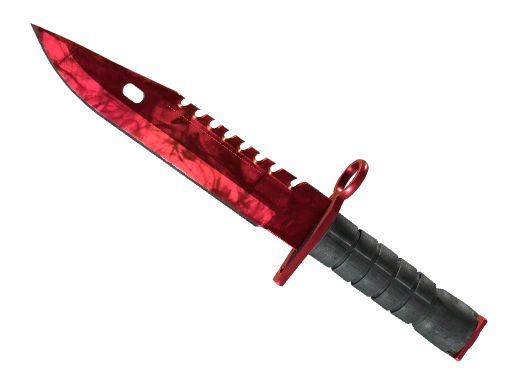
Browse our large inventory of CS2 (CSGO) skins. Instant delivery to your Steam account after purchase.
Browse SkinsSell CS2 (CS:GO) Skins

Sell unwanted skins for balance that can be reused for future trades or inventory upgrades. This way you get trade balance instantly. Real cash withdrawals coming soon!
Start SellingHow It Works
Choose your items, review the exchange, and confirm the Steam trade offer.
Sign in via Steam
Connect your Steam account to access your inventory and set your Steam Trade URL.
Select skins to trade
Choose items from your inventory and our trade bot inventory.
Confirm and receive items
Check the bot account and items in the Steam offer before confirming and receiving your items. Steam restrictions and CS2 Trade Protection still apply.


CS2 Skins Trading Tools by CS.TRADE
Check a skin's float, request a screenshot, explore item details, or estimate your inventory value before choosing a trade.
CS2 (CS:GO) Skins Wikipedia
Complete database of all CS2 (CS:GO) skins with stats and market data
Browse WikiCS2 (CS:GO) Skins Screenshot Tool
Request a skin screenshot using a supported Steam inspect link. Availability depends on the screenshot service.
Try ToolCS2 (CS:GO) Skins Float Checker
Use a supported Steam inspect link to check a skin's float, wear and pattern data — not a price quote.
Try ToolCS2 Inventory Value Calculator
Estimate your public CS2/CS:GO Steam inventory worth before you trade — free, no login required.
Check inventory valueTrusted by CS2 and CSGO Players Worldwide
Join thousands of satisfied traders who trust cs.trade for secure skin trading
100% Trust Worthy
Very smooth, easy to use, 100% trust worthy with an excellent variety of skins. The clincher for this site is that it allows you to trade CS2 skins with Dota 2 skins and vice versa.

Made a Profit of 2k Unexpected traded my knife for another one it was quick and easy loved it!

Very good site for cs2 trading. Good prices and available skins I'm not very experienced with Cs2 skins trading sites, but what i can say is that, out of the other trading sites, this one provides better prices for traders like me, also bots send instant offers which i had issues with on other sites, all in all, very good experience


What is CS2 (CS:GO) Skin Trading?
CS2 skin trading means exchanging cosmetic items from Counter-Strike 2, formerly CS:GO. Skins change appearance, not weapon performance. Players trade to replace unwanted items, combine several skins for a different item, or rebuild a loadout. To inspect an item before choosing a trade, use the CS2 float checker or read about CS2 trading strategies.
A direct Steam trade exchanges items between accounts. The Steam Community Market instead sells items for Steam Wallet funds. On CS.TRADE, you select items from your inventory and bot stock, then review a standard Steam trade offer. Using a bot removes the need to find an individual trading partner; it does not remove Steam's restrictions or the need to check the offer.
Review the exact items and their displayed values before proceeding. Availability and item restrictions matter as much as the skin you want: a market listing price is not the same as a bot's trade value. Looking for ideas for your next loadout? Explore best CS2 skins and knives or explore CS2 skins that improved on our blog.
Is CS2 (CS:GO) Skin Trading Legit and Safe?
Steam provides the item-trading system, but a Steam offer is not proof that a website or recipient is trustworthy. CS.TRADE is independent of Valve and Steam. Check that you are on cs.trade and treat unsolicited messages from supposed support staff or bots with caution.
CS.TRADE's bots send standard Steam trade offers. Before accepting, compare the bot's Steam account and every item with the exchange you initiated on the site. A familiar bot name or avatar is not enough: impersonators can copy both. Decline an unexpected or changed offer and contact support through the site.
Use Steam Guard Mobile Authenticator to help protect your account and review confirmations carefully. A public inventory lets CS.TRADE load the items you want to trade; it is not a general Steam requirement for receiving every trade offer. Do not share passwords, authenticator codes or API keys with someone offering trading help.
Steam may restrict an account or an individual item. CS2 trades do not use trade holds (escrow); instead, received CS2 items have seven days of Trade Protection. Check Steam's current restrictions and the reversal FAQ below before assuming an item can be traded again. Account security reduces risk; no trading method is risk-free.
CS2 (CS:GO) Trading Bots vs Steam Market
Bot trading and the Steam Community Market serve different tasks. Choose based on what you want to receive, the complete quoted values, and the restrictions on your items — not an assumed price advantage.


How to Trade CS2 Skins (Step-by-Step)
Before selecting skins, check the restrictions shown on your Steam account and each item. Steam generally requires Steam Guard to have been enabled for at least 15 days before trading. For CS.TRADE, enable Steam Guard Mobile Authenticator, set your Steam Trade URL, and make your inventory public so the site can load it. Adding an authenticator does not immediately remove existing restrictions. For more help getting started, read our CS2 trading guide.
Sign in through Steam, enter your Trade URL when asked, and select the items you want to give from your inventory. Choose the skins you want from bot stock, then compare both sides and the displayed values. You can also inspect a skin's appearance with our CS2 (CS:GO) Screenshot Tool before deciding whether to trade.
Open the Steam offer generated for your exchange. Check the bot account, item names, quantities and item details again before accepting and confirming in Steam. If an offer is unexpectedly declined or replaced, stop and check it rather than confirming a similar-looking one. After delivery, you can read about how to manage inventory in CS2.
CS2 items received in a trade have seven days of Steam Trade Protection. You can equip and use them in-game, but during that period they cannot be transferred, consumed or modified. Eligible protected trades can be reversed through Steam. This protection applies after delivery; it is not a trade hold before delivery. Review item restrictions and compare quoted values before accepting. Learn more about getting the best prices for your CS2 skins on our blog.
How CS2 (CS:GO) Skin Value Is Determined
CS2 skin values reflect supply and player demand. The weapon, finish, collection, condition and availability all matter; there is no single fixed price shared by the Steam Market, direct trades and bot platforms.
Wear categories run from Factory New and Minimal Wear through Field-Tested, Well-Worn and Battle-Scarred. Float describes wear more precisely within an item's allowed range. It can affect appearance and demand, but lower float does not guarantee a higher offer for every skin. Use our CS2 Skins Float Checker to inspect float and pattern data, or read our CS2 skin float and pattern guide.
Rarity can limit supply, but rarity alone does not determine demand or guarantee a high price. Collection, weapon popularity and the exact finish also matter. Knives and gloves can differ greatly in value by model and pattern. Use the CS2 skins wiki for comprehensive information about skin rarities, or check out our articles on best AK skins and best M4 skins in CS2.
StatTrak variants track in-game performance, and stickers or particular patterns can affect what buyers want. Popular weapons and recognizable finishes can be easier to trade, depending on demand. An estimated market value is not a guaranteed trade offer, so compare the actual items and values in the trade preview. To estimate a public inventory before choosing your next exchange, use our CS2 Inventory Value Calculator or explore the most popular CS2 skins to trade.

Common CS2 (CS:GO) Trading Scams and How to Avoid Them
Phishing pages can copy a trading site or a Steam sign-in screen. Open cs.trade directly instead of following a login link from a private message. Check the address before entering credentials on Steam, and never share an authenticator code or API key with someone claiming to be support. Read more about safeguarding your CS2 skin collection.
Impersonators copy bot names and avatars. Compare the bot's Steam account and every item with the exchange you initiated on CS.TRADE before confirming. If an offer is declined and a similar one appears, check it from the beginning. CS.TRADE automatically notifies you when a trade offer sent by its bot to your Steam account is declined and provides instructions on regaining access to your Steam account if compromise is suspected. A decline alone does not prove that your account was hacked.
Pressure to act quickly, send a skin for 'verification', or pay someone to recover items is a warning sign. Steam Support does not ask you to trade items to a staff member. Stop if a private message tells you to ignore the offer details or move your items to a 'safe' account.
If you suspect compromise, stop trading and secure the account through Steam Support. Check for unauthorized devices and API keys. Steam Support does not restore scammed items; CS2 Trade Protection is a separate, time-limited reversal mechanism, not a guarantee of recovery. For further examples, read about Steam API scams or browse our CS2 trading blog.
Frequently Asked Questions
Everything you need to know about trading CS2 (CSGO) skins on cs.trade

Ready to Trade CS2 (CSGO) Skins?
Review the skins you give and receive, check the final values, and start your next trade with CS.TRADE.
Start Trading NowSign in with Steam